
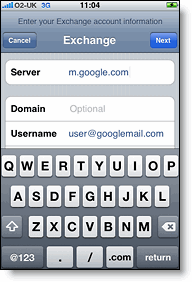
 So, some big news yesterday for iPhone owners who use Google’s suite of free mail/calendar/address book apps! Until now, it’s only been possible to have your Google Calendar and Contacts synced with your iPhone by doing a sync with iTunes (i.e., via a cable). Now that Google is exposing all its services via Microsoft Exchange ActiveSync, it can all be done via cellular connection, including “push” email. Very cool.
See Google’s instructions for how to set this up on your iPhone (note the warning about existing contacts/calendar data being deleted before the sync happens).